-
Log into Cal.com and go to your events — visit app.cal.com/event-types and select the event you want to share availability for.
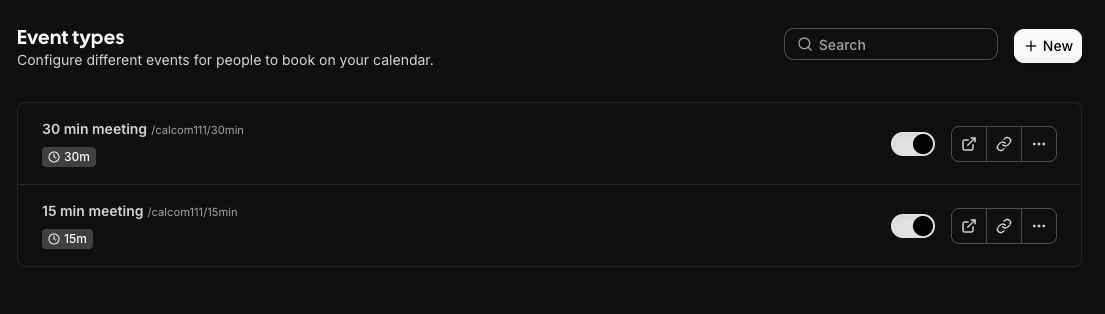
-
Enter your Cal.com username and meeting type — your username is the part after
cal.com/in your profile URL (e.g.john), and your meeting type is the short name (e.g.30min,intro-call).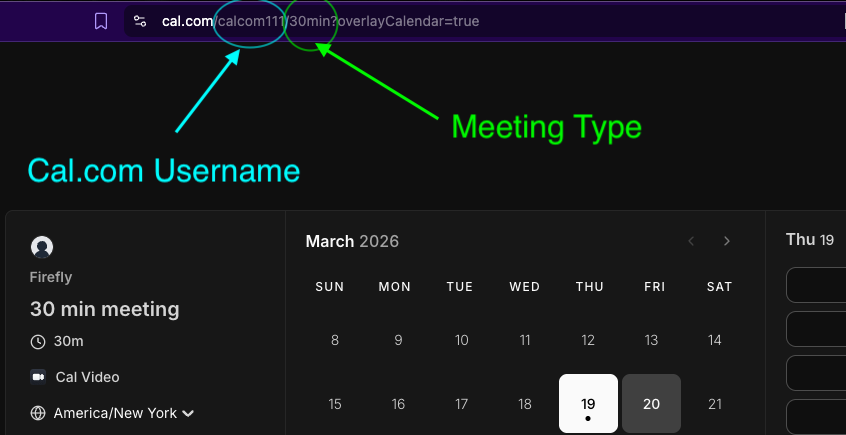
- Choose duration & timezone — select how long each meeting slot is and which timezone to display times in.
-
Pick an output format:
- For Email (default) — rich, formatted output perfect for sharing
- Plaintext — simple text for pasting into messages or docs
- Click "Generate Availability" — your available time slots will appear below. Use the Copy or Download buttons to grab the result.
-
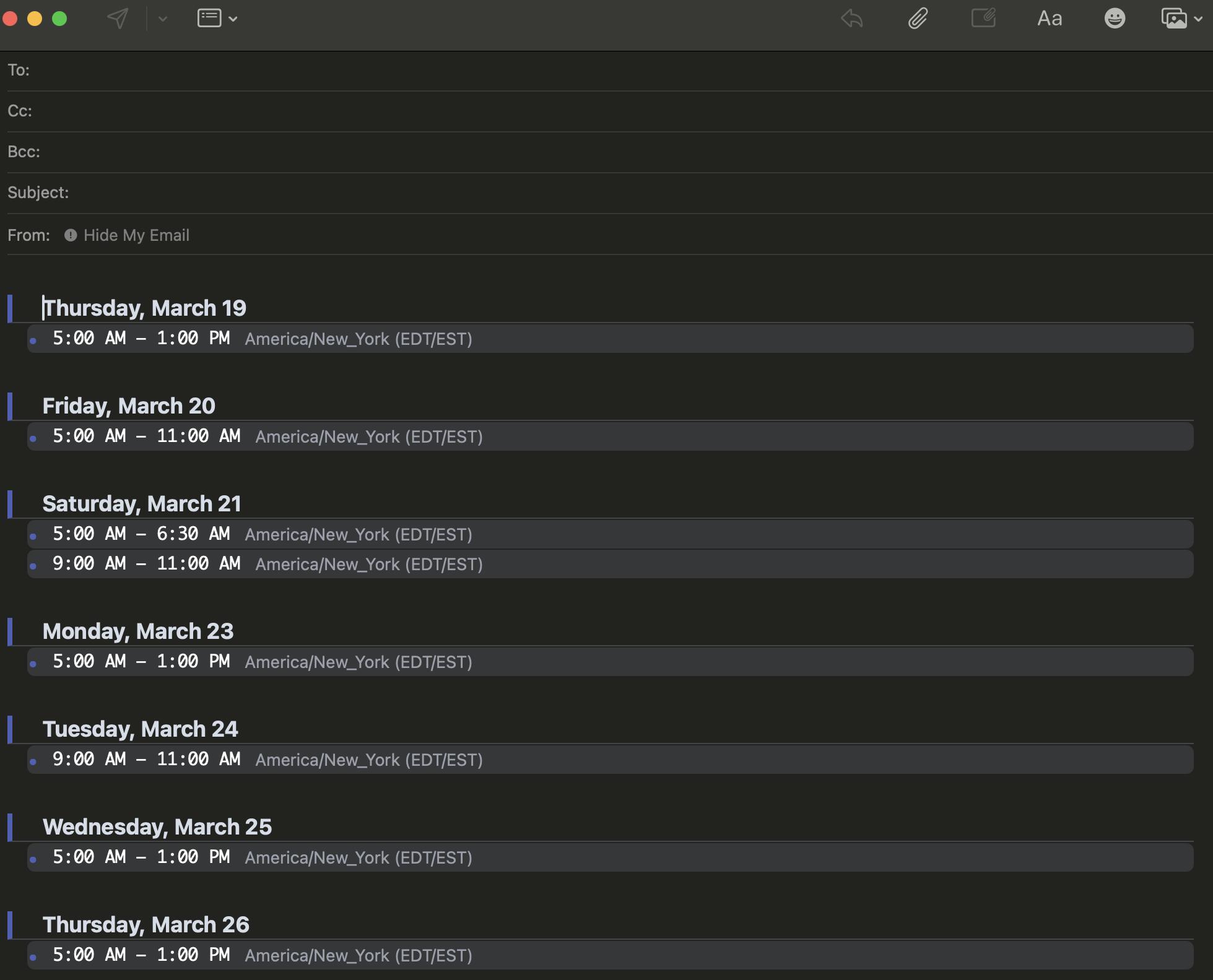
Paste into your email client — click Copy, then paste directly into Gmail, Apple Mail, or Outlook. The formatted schedule will render styled in your email.
Checking authentication...
Sign In Required
You need to sign in to generate a TextBlock.
Sign InGenerate a TextBlock
Fetching availability...
Results
Click copy and paste it into your mail client: Gmail, Apple Mail, or Outlook!